


The Volkswagen app
Stay connected to your Volkswagen, wherever you are. The Volkswagen app brings together everything you need to get the most from your car. From service bookings and maintenance updates to vehicle status checks and electric charging tools, the Volkswagen mobile app is designed to make ownership easier and more convenient.
Discover the Volkswagen app
Your Volkswagen, always within reach
The Volkswagen app, also known as the my Volkswagen or my VW app, creates a direct link between you and your car. Designed for Volkswagen models from 2020 onwards, it keeps you informed and in control whether you’re driving a brand-new model or an Approved Used Volkswagen.
Check fuel or charge status, mileage, service schedules and range at a glance. With compatible models, you can also access remote features such as locking and unlocking, locating your car, or pre-conditioning the interior before you set off*.
The Volkswagen mobile app connects seamlessly with our service network too. By selecting Mon Motors as your preferred centre, you can arrange servicing, receive reminders, and contact your local Volkswagen Centre in Bath, Bristol, Gloucester, Merthyr Tydfil, or Weston-super-Mare directly from your phone.
The Volkswagen app is available to download for free on iOS and Android. Getting started is easy, just download and connect it to your vehicle using your VIN.
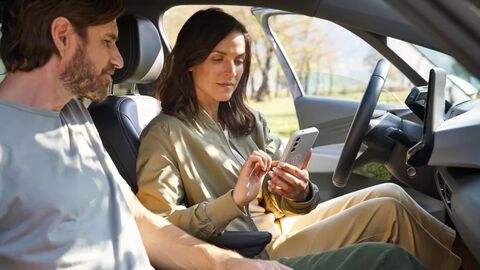
Getting connected
How to set up the Volkswagen app and connect to your car
Setting up the VW app is quick and straightforward. Follow the steps below or watch the video to get started with the Volkswagen app.
-
Download the Volkswagen app – Find it on the App Store or Google Play and install it on your smartphone.
-
Create a Volkswagen ID – Open the app and register for a free account, or log in if you already have one.
-
Add your vehicle – Enter your Vehicle Identification Number (VIN) to link your Volkswagen to the VW app. You can find the VIN on your windscreen or in your registration documents.
-
Verify ownership – To access all features, confirm ownership and complete the in-app verification process.
-
Activate Volkswagen Connect services – If your car supports VW Connect and We Connect functions, the app will prompt you to enable them. This unlocks remote access, charging controls and more.
If you’d like support setting up the Volkswagen mobile app, our teams at Mon Motors Volkswagen in Bath, Bristol, Gloucester, Merthyr Tydfil and Weston-super-Mare will be happy to help.

Useful features for electric and plug-in hybrid drivers
Volkswagen app for electric drivers
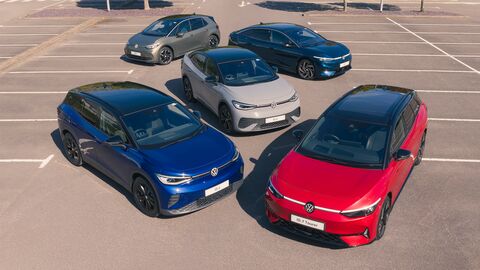
The Volkswagen app enhances the experience of driving a VW electric or plug-in hybrid model. Whether you own an ID.3, ID.4, ID.5, ID.7 or a Volkswagen plug-in hybrid model, the app makes it simple to stay connected and in control.
You can check charging progress and range remotely, and schedule charging times to fit around your day or take advantage of cheaper off-peak tariffs. The VW app also lets you pre-condition the interior while the car is plugged in, so it’s comfortable from the moment you set off without reducing your driving range.
For longer journeys, the Volkswagen app makes it simple to locate nearby public charging points, giving you the confidence to plan trips with ease.
Put charging and vehicle controls at your fingertips and download the Volkswagen app today.
Terms and Conditions
*Features can vary by model and trim and may require the purchase of additional options and services. Not all features highlighted are available for all models. For more information please speak to your local Mon Motors Volkswagen dealership.